






Skip to content

🎁 BFCM is live! Save up to 30% on EComposer and unlock a free Feature Pack. Explore deals

🎁 The4 BFCM: 15% off Athora & Vetro + free homepage setup & 6 months of EComposer Standard free. See the deal

4.93,472 reviews on the Shopify App Store Install free New to Shopify?Open your store

Internal · not indexed

EComposer design system

The single source of truth for colors, type, shape, components and motion. Every page uses these tokens. If something is missing, add it here first, then use it.

Proposal v1 · waiting for approval This page is only visible in the theme editor and Canvas.

Colors

Use tokens, never raw hex in markup. Ink and white do the heavy lifting; color is punctuation.

Core

#0B1215 --color-on-surface Ink: text, buttons, dark bands, selected states
#FFFFFF --color-surface White: page and card background
#F2F5F7 --color-surface-secondary Surface 2: recessed panels, tab panels
#2B6CD4 --color-accent Accent (solid): focus rings, fallbacks. Matches the accent gradient start

Neutrals and lines

#61697A --color-on-surface-secondary Secondary text
#E3E5E8 --color-border Hairline: every border, chip and card outline
#F5F5F6 --color-surface-muted Muted canvas: inside mock UI frames

Brand gradient

from-cta-from to-cta-to

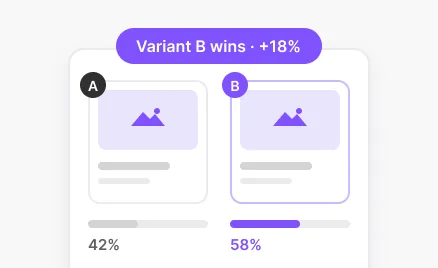
CTA gradient (light): primary CTA buttons and small tags (SAVE, +%, Winner, New) with white text. Never for text on white or large surfaces. Dashed highlight (snippets/ec-dash-ring): 2px dashes, 5 on / 4 off, in this gradient, marks the changed element in app mockups; never flat blue dashed outlines. Data charts: Original = ink, Variant = cta-to green.

Explore templates

Accent gradient · .ec-grad-text / .ec-grad-icon: a darker, text-safe version of the brand gradient (#2B6CD4 → #138A43, AA on white). Use for every text link, eyebrow and accent icon. Never flat blue, and never the light CTA gradient on text.

#3478D8 --color-cta-from Gradient start
#6FE67A --color-cta-to Gradient end
#2B6CD4 --color-accent-from Accent gradient start (text-safe)
#138A43 --color-accent-to Accent gradient end (text-safe)

Status and commerce

#D92D20 --color-sale Sale price, countdown urgency
#FFB400 --color-rating Rating stars only
#059669 --color-success Success states in mock UI

Section tints

#EEF5FE --color-tint-create Create section wash (homepage story).
#E9F7F7 --color-tint-optimize Soft teal wash. Illustration panels in bento cards use a gradient tint-create → tint-optimize/60; dark feature cards get soft cta-from / cta-to glows.

Docs (help articles only)

GitBook-style help pages (/pages/help-center, /pages/help-category/…, /pages/docs/…): flat surfaces, hairline dividers, Inter / system-ui. Accent = primary ink (no violet). Sidebar tree: arrow icon rotates to point down on hover / open, labels sweep into the CTA gradient (.ec-docs__gt), folders open with a 0.34s height + fade reveal. Search popups show a suggestions panel (ec-docs-sugg: magnifier graphic, popular search chips, popular articles) while idle or when nothing matches. Section cards carry an animated scene (snippets/ec-docs-cat-art): real app mockups where a screen exists, otherwise small scenes in the same app style. Image gallery: screenshots in an article open in a lightbox that zooms out of the image, with prev / next (buttons, arrow keys, swipe, thumbnails), a counter and caption, and zooms back on close.

Sidebar extras: Recently viewed (last 4 docs on this browser) and Popular articles under the tree, plus Live chat / Community / Video tutorials links at the end of the sidebar. A support banner (ec-docs-support: EComposer mark, online dot, Contact support opening live chat) closes the main column of every docs page. On docs pages the scrolled header pill is as wide as the docs bar content (spacing-page). Docs bar follows the main header: its top tracks the header's visible bottom every frame (72px at top, floating pill when scrolled, 0 when the header slides away) and its frosted surface extends up behind the header so both read as one sticky band.

Search popup v2: results are ranked (title word-start > title > breadcrumb, exact / prefix bonus), tolerate one typo and common synonyms (install / setup, popup / modal, A/B / split…), and are grouped under their top-level section with an uppercase group label; every matched word is highlighted. Each row has a 30px outlined icon tile (doc, section folder, recently viewed clock, recent search magnifier). Idle shows Recent searches (last 3, with Clear), Recently viewed and Popular articles. No results adds a way out: ink pill Contact support (live chat) + outlined Browse all docs. Footer uses white keycaps (↑ ↓ navigate · ↵ open · Esc close, hidden on phones) plus a Need help? chat link. The dialog fades in with a 6px rise and 0.98 scale over 0.24s and leaves the same way. Use these tokens only inside the docs shell.

#0B1215 --color-docs-accent Docs accent = primary ink: labels, breadcrumb, badges, active tree item, links, scrollspy, callout bar.
#E5E7EB --color-docs-line Docs hairline: every 1px divider in the docs shell.
#F2F4F6 --color-docs-tint Neutral pill behind the active article and selected search result.
#FAFAFC --color-docs-rail Docs sidebar background.
#F8FAFC --color-docs-hint Hint / callout box background.
#111827 --color-docs-ink Docs headings and titles.
#374151 --color-docs-body Docs body copy (16px / 1.75).
#6B7280 --color-docs-muted Docs meta text: ON THIS PAGE, dates, kbd.
.ec-glow
Section glow: white background with the hero wash (soft blue + green radial light at the top). Hero uses .ec-glow; mid-page sections use .ec-glow[data-fade], which fades in from the top edge so it never cuts against the section above. Section rhythm: glow, tint-create, white, glow, grey sheet, ink, white. Two white sections never touch: the second rises as a grey sheet (.ec-sheet: surface-secondary, 2.5–3.5rem rounded top, soft upward shadow). A section never ends with a lone text link; put it inside the last card or row.

Typography

Instrument Sans for everything. Hierarchy from size, not weight or color. One H1 per page.

.type-displayH1 heroBuild pages that sell
.type-heading-xlH1 pageBuild pages that sell
.type-heading-lgH2 sectionBuild pages that sell
.type-heading-mdH3 panel / closingBuild pages that sell
.type-heading-smH3 card (18–22px)Build pages that sell
.type-body-lgLead paragraphCreate, optimize and grow your Shopify store with a no-code page builder.
.type-bodyBodyCreate, optimize and grow your Shopify store with a no-code page builder.
.type-body-smCaptionsCreate, optimize and grow your Shopify store with a no-code page builder.
. eyebrows (semibold accent)Create, optimize and grow your Shopify store with a no-code page builder.

Shape and elevation

Five radius steps and three shadows. No hard offset shadows, no thick ink borders.

rounded-buttonButtons, tabs, chips
rounded-xlMock UI cards, icon tiles
rounded-cardContent cards
rounded-2xlScreenshot frames
rounded-3xlLarge panels, bands
Flat + hairline: default card
shadow-lg: floating mock card over media
shadow-xl: hero screenshots only

Components

External link icon

Visit website Get directions 18.4%

Always render the up-right arrow with the shared snippet ec-ext-icon (inline SVG, 1em, currentColor, flips in RTL). Never type the ↗ character: iPhone and some Android fonts show it as a coloured emoji. Other symbol characters that can turn into emoji (▶ ◀ ✔ ✉ ⚠) must carry the text-style marker U+FE0E, or better, use an SVG.

Buttons and links

Install CTA rel (28 Oct 2026, SEO feedback): the Install free buttons in the menu (header button, mobile menu footer, mega menu foot strip mm-foot) carry rel="nofollow noopener". Install CTAs elsewhere on the site (footer, page heroes, final CTA bands) are unchanged for now (merchant decision: menu only). The open-store affiliate link keeps rel="noopener sponsored".

Social links rel (28 Oct 2026, SEO feedback): every link to a social network (footer icons .ec-foot-soc, article share buttons, Docs community links, the YouTube featured video in the Resources menu) carries rel="nofollow noopener". Official profiles stay linked for Google through Organization sameAs in snippets/meta-tags.

Structured data (28 Oct 2026, SEO feedback): homepage = WebSite + Organization (description, customer-support contactPoint to /pages/contact-us, sameAs App Store, Trustpilot and every footer social profile) + SoftwareApplication (free plan offer). No AggregateRating/Review markup: the 4.9 rating comes from the Shopify App Store, and marking up reviews collected on another site is against Google review snippet rules (merchant decision). Blog articles = BlogPosting with datePublished + dateModified. When a social profile is added to the footer, add it to Organization sameAs too.

  • Brand CTA · .ec-cta: gradient flows, lifts 2px, glow deepens, one sheen sweep, arrow shoots out and back. The main conversion action only.
  • Primary · .button-primary: ink lightens, lifts 1px, soft ink shadow. Functional actions (forms, cart, filters) and CTAs on gradient-free areas.
  • Secondary · .button-secondary (and .button-outline on dark): white with ink hairline; on hover a curved ink wave rises from the bottom and flattens (0.65s), label turns white, button lifts 2px with a soft shadow. Second option next to a CTA (e.g. Browse templates, Watch demo).
  • Text link · .ec-link + .ec-arrow: gradient text; on hover one continuous underline (never broken by the icon gap) draws in under text and arrow from the start and retracts on leave; the arrow glides 4px. Learn more / explore links.
  • Proof card · .ec-proof: graphic link on dark sections for social proof (rating score + gradient stars, YouTube logo tile). Frosted 6% white tile, 1px inner hairline, 1rem radius, round white arrow; hover lifts 2px, brightens, arrow glides. Use instead of underlined text links next to proof content.
  • CTA banner · .ec-final: closing conversion block. 2.5rem card, tint-create → white → tint-optimize, masked dot grid, cta-from/cta-to blurred glows, shadow-card. Copy + primary CTA + Watch demo + trust row on the start; three tilted (-9°) columns of real template screenshots drift in opposite directions (42–54s, paused on hover, static with reduced motion); white frosted proof chips (shadow-overlay) bob gently. Chips use real numbers only.
  • Open store link · snippets/ec-open-store: "New to Shopify? Open your store" Shopify affiliate sign-up link (shopify.pxf.io/y2k6BW) for visitors without a store. Frosted pill with gradient store icon under the main install CTA (homepage hero, final CTA, template library hero); compact text version in the mega menu footer and mobile drawer. All install links use shopify.pxf.io/m5vyR1. Affiliate links are never UTM-tagged; other outbound links get UTM via snippets/ec-utm.
  • Proof strip · .ec-proof-strip / .ec-proof-item: one quiet row under the hero CTAs (never cards, so it doesn’t read as more buttons). Shopify App Store (logo, 4.9 ★, 3,400+ reviews), Trustpilot (star, green square stars, 5.0) and the official Built for Shopify badge image (ec-badge-built-for-shopify.png, 30px tall). Muted 13px nowrap text, hairline dividers from sm that hide at the start of any wrapped line (lead + clip), fits one line in a half-width hero column, hover darkens. Hero order: 2 buttons → compact Open store text link → proof strip.
  • Live chat trigger · Crisp (snippets/ec-chat, site-wide). Any CTA about chatting or contacting support (Chat with support, Talk to us, Contact support, Ask a question, 24/7 live support) uses href="#chat" or data-ec-chat and opens the chat window instead of navigating. Contact page and email links stay for people who want them.
  • BFCM popup · snippets/ec-bfcm-popup. PAUSED Oct 2026 (render commented out in layout/theme.liquid; a third-party popup app is used). Ink card (on-surface, rounded 28px, shadow-overlay, white/10 hairline), CTA-gradient glows, fading dot grid; logo, gradient tag, white heading and white/70 body, 4-tile countdown synced with the top bar end date, primary gradient CTA, quiet "Don't show this again". Close, Esc or backdrop shrinks it into an ink pill at the bottom start corner (Crisp keeps the end corner); the pill reopens it, its × hides it for good. Copy per page set: main, pricing, The4; reading pages get the pill only; BFCM pages and this page get nothing. Opens once after 6s or 40% scroll, 400ms in / 240ms out; reduced motion skips it.
  • Product images in mockups · clean square packshots in Files (ec-pack-headphone, ec-pack-beanie, ec-pack-bottle, ec-pack-serum-clean: one product, soft light-grey studio background, no text) rendered with snippets/ec-img and absolute inset-0 size-full object-cover, so any frame ratio (square thumb, 4:3 card, sticky bar) shows only the product. Never crop a page screenshot with offsets for a product thumbnail.
  • Proof band · homepage, closes the hero under the video. Full-width ink strip (on-surface, edge to edge, no radius) with soft CTA-gradient glows. Three stats in one row on every screen (slim: 16–20px vertical padding, numbers 28–40px), inside the page width, split by white/10 dividers: 40,000+ brands (gradient text), 4.9 App Store rating with stars, 300+ templates (white, 600, tabular numbers), each with a white/60 label (11px mobile, 13px desktop). All three count up from 0 when the strip scrolls in, staggered; reduced motion or no JS shows the final values. Only real public numbers, rounded down. No logos here.

All: 450ms on the UI ease in both directions, press scales to 98%, keyboard focus shows the hover state, reduced motion keeps color changes only. Max one gradient CTA per section. Pair it with a Secondary button or a text link. Hover or tab through the buttons above to see each state.

Tags, chips and tabs

SAVE 20% Winner Published Landing page Selected Default

Cards

Content card White, hairline border, rounded card, shadow-sm on hover only.
Feature card No border, shadow-card → shadow-card-hover. Whole card is the link; the brand cursor appears on hover.
Mock UI cardRecreates real EComposer UI. Only features that exist in the app. Selected state: 1.5px ink border
Dark band card Ink background, white text, gradient only on small accents. SAVE 20%
Built with EComposer · RubyRose
Browser frame Wraps real store screenshots: hairline border, muted chrome bar with 3 dots and a centered address pill (e.g. Built with EComposer · store), shadow-xl. Tinted band: fades from white (top) into Surface 2 by 40% height (bg-linear-to-b from-surface to-surface-secondary to-40%) with one soft brand glow (cta-from/25 → cta-to/25, blur-3xl) behind a white panel. Use it to break up runs of white sections, max one per page.

Navigation

EComposer FeaturesNew TemplatesHot Pricing Install free

Create

EComposer AINewOne AI to build, edit and improve pages
  • Header · .ec-header: sticky and transparent at the top (homepage and template library: overlays the hero via data-overlay, hero adds 4.5rem top padding). After 8px it becomes a compact floating bar as wide as the page content (same edges as max-w-page + px-margin, never narrower), 56px, 0.5–0.75rem from the top, 1rem radius, 1.25rem inner padding, 80% white frosted glass, hairline + soft shadow (0.45s ease-out). Scrolling down past 160px slides it away; scrolling up brings it back. It stays while a menu is open, keyboard focus is inside or the mouse is over it. Under 1024px the menu and search buttons are ec-hd-btn tiles: 40px, ink 5% fill + hairline, 14px radius, 22px icons on a 2.2 stroke; the menu bars (16/10/14) even out on press.
  • Menu item · .ec-nav-item: 15px / 600 (use only loaded weights: 400 body, 600 heading), ink at 86% that firms to full ink on hover or when its panel is open. Pill-shaped hit area.
  • Gliding pill · .ec-nav-pill: one surface-secondary pill slides between items (0.4s ease-out). Without script, each item shows its own pill.
  • Nav badge · .ec-nav-badge (mega-menu badge + badge_tone): 9px / 600 uppercase pill at the top-right of the item, white ring, slow sheen. new = CTA gradient, hot = #F79009 to #F04438. Max two per menu.
  • Mega panel: no border, shadow-overlay, 28px padding. Group labels use the CTA gradient as text; links with a description use a 40px icon tile.
  • Header fit: grid is always auto | 1fr | auto with the menu centred in the middle. 1280px+: 15px items; 1200–1279px: 14px, tighter padding and CTA; 1024–1199px: BFCM drops 2026, CTA drops its arrow. An 8th top-level item needs a new budget.
  • Open state: while a mega menu panel shows (hover, click/keyboard, focus inside), its parent item text and chevron turn the brand gradient (accent-from → accent-to, same as .ec-grad-text); badges keep their own colors. Not applied on the dark header.

Pricing

★ Best value Pro $39$49/month Save $120/yr
Up to 15 Up to 50
  • Billing toggle: white pill with hairline ring, black thumb glides 360ms between Yearly and Monthly; the Save 20% tag uses the CTA gradient. The ec-pricing wrapper (data-billing) switches every .pr-y / .pr-m value (fade + 6px drop, 240–320ms).
  • Plan card: white, rounded-card, shadow-card + border ring; lifts 2px on hover. The recommended plan uses a 2px ink ring, black ‘Best value’ ribbon and the gradient brand CTA; other paid plans use the primary ink button, Free uses the secondary button. On wide screens the recommended card is taller: extra block padding (py-10) while the others sit 1.25rem in (my-5).
  • Plan finder: grey band (surface-secondary, 2rem radius), numbered questions, radio chips (white + border ring, checked = ink fill). The result card swaps in with ecMotion.enter/leave and the matching plan card gets an ink outline (.is-picked).
  • Plan ladder: under the finder result, a white card lists all 4 plans (name, live pages and AI credits, price). The row the answers point to so far gets a 1.5px ink ring and a filled dot (.is-lead, 300ms), so the right column previews the result instead of sitting empty.
  • Comparison: sticky plan header under the site header, groups as smooth details (data-ec-smooth) with a count chip and .tl-chev. Ink check = included, short grey dash = not included (both with screen-reader text); the recommended column is tinted surface-secondary. On mobile the feature column stays pinned while plans scroll.
  • Feature tooltip: comparison rows that have a help doc get an info button and tint on hover. One shared white panel (rounded-card, ring, shadow-card-hover, max 20rem) opens after a short hover delay, on keyboard focus or on tap, fades and rises 4px in 240ms and flips above near the viewport edge. Text is copied from the help doc, with a Read the full guide link to it; rows with no doc get no tooltip. Escape or clicking outside closes it.
  • FAQ: one open at a time (named details + data-ec-smooth), plus icon in a hairline circle rotates to ×. Answers also feed FAQPage structured data.
  • Trust: the proof strip (snippets/ec-proof-strip) sits under the plan cards with the open-store link; a dark offer card (ink + soft CTA-gradient glow) carries partner deals.

Avatar

Notion-style avatar (snippets/ec-avatar): white face, 2px ink line art and solid ink hair on a round tint (surface-secondary, or a light mix of the CTA blue or green). Six built-in faces (6 hair, 3 eyes, 3 mouths) picked by seed, so the same reviewer always gets the same face. Decorative only, the name always sits next to it. Use for customer reviews and testimonials instead of letter or photo avatars.

Contact

Hi! My new landing page looks off on mobile. Can you take a look? Of course! Send me the page link and I'll check it right now.
  • Hero: one live-status chip (green dot, two soft rings on enter), H1 and one short line. No route pills; the page stays short.
  • Form: name + email, Topic dropdown (.ct-select, label always floated with .ct-label-up, chevron at end) with the 9 official topics, message. Floating labels (.ct-field/.ct-input/.ct-label, 14px radius, ink focus border + soft ring) and a CTA-gradient focus line. Submit = brand CTA (.ec-cta) with a Sending… state. After submit (snippets/ec-form-result): the form scrolls to the centre and its success/error message gets focus; on pages whose form shows no message (?contact_posted=true), a Message sent! toast (.ec-toast, white, hairline, rises 6px in 320ms, closes on × or after 8s) appears at the bottom.
  • Beside the form: live chat card (dark), Reach us directly card (3 columns split by hairlines: emails with copy button .ct-copy, office + Maps, working hours) and one row of help links (.ct-more: icon tile + title + one-line note; tile fills ink on hover).
  • Live chat scene: bubbles (.ct-msg-me ink, .ct-msg-them white + hairline) rise in sequence via .ec-anim/[data-anim], with typing dots (.ct-typing) between them that fold away. Plays once each time the card enters view; static with reduced motion.

Top bar

🎁 BFCM is live! Save up to 30% on EComposer and unlock a free Feature Pack. Explore deals

Ends in12d08h45m10s

  • Top bar · block announcement-bar (ec-topbar, assets/ec-topbar.js), rendered in layout/theme.liquid above the header, scrolls away (not sticky). Background = text-safe brand gradient bg-linear-to-r from-accent-from to-accent-to (white text stays AA at both ends; never the CTA gradient, whose green end fails with white). 13px text, 600 weight links with white/50 underline + .ec-arrow glide.
  • Content · each message is one [data-ec-slide] holding a text block + link block (copy ec_bar.*). One shared countdown (Ends in + d/h/m/s chips: bg-white/15, rounded-md, tabular-nums) to the block setting end (ISO date with timezone). At zero the bar collapses and removes itself; server render also hides it after the end date. Messages share one grid cell and each one is centred vertically and horizontally, so a message that wraps to 2 lines never pushes a shorter one to the top.
  • Behaviour · rotates every interval seconds (setting, default 6), pauses on hover/focus and while the tab is hidden; desktop prev/next arrows (command --ec-topbar-prev/--ec-topbar-next). Mobile stacks message over countdown. Outbound links carry data-utm topbar-*.
  • Mobile menu head (28 Oct 2026, v2 frosted chips): when the menu opens the 56px strip settles in (6px, 420ms, site easing), then frosted deal chips loop right to left at about 22px/s (ec-marquee, 30s, two identical lists). Chip = 40px pill, white 14% fill with a 30% white hairline and 6px blur, white gift icon disc, 16px semibold text and a white OFF badge with gradient text (ec_bar.m_bfcm_html, ec_bar.m_the4_html), arrow nudges 3px on hover. Background: brand gradient drifting over 14s plus a soft sheen every 6s. Both edges of the chip lane fade, the white close button floats over the right end (44px target). Pauses on hover, touch or focus, all motion off for reduced motion. Was (v1): plain 18px white text with ✦ separators on a flat gradient. Was (v0): the long top bar messages rotating in place. UTM medium = mobile_menu. Disappears with the campaign (30 Nov 2026) and the head falls back to the plain white bar.

Free tools (calculators & generators)

Total fees deducted (monthly) $668.00
  • Page recipe (page.fee-calculator, page.discount-calculator, page.name-generator): centered hero (Free tool chip, H1, lead, rating line) → tool card (rounded-3xl, shadow-xl, inputs on the start, results on bg-surface-secondary at the end) → guide sections → FAQ (data-ec-smooth + FAQPage JSON-LD) → ec-tool-more cards → shared ec-final CTA.
  • Fields: .ft-input (hairline, ink focus ring, aria-invalid turns critical), .ft-pre/.ft-suf for $ or %, .ft-select for native selects. Choices: segmented radios (has-checked:bg-on-surface) for 2–3 options, .ft-chip pills for multi-select.
  • Result: one .ft-total ink card per tool (CTA-gradient glow + slow sheen), then hairline breakdown rows. Changed numbers tick with .ft-num.is-tick; new list items enter with .ft-name (25ms stagger). Panels a control reveals use ecMotion.collapse / enter.
  • Logic stays in one custom element per tool inside the template; copy for JS lives in a data-i18n JSON script (ec_tool.*). Generated text is inserted with textContent only. Install links use the affiliate URL without UTM.

Elevation

Content and feature cards and overlay panels get depth from these shadow tokens, not borders.

shadow-card
shadow-card-hover
shadow-overlay

Services

Patterns of the Services hub (/pages/all-services, templates/page.services.liquid), the 12 service detail pages (/pages/service-[slug], templates/page.service.liquid, copy ec_svc.items.[slug]) and the Services mega menu. Groups: Launch (create tint), Grow (optimize tint), Develop & care (neutral tile, works on any store).

  • Service card · snippets/ec-svc-card: white card, hairline border, rounded-2xl, p-5. Group-tinted 44px icon tile (tilts -6° on hover), name (body-lg 600), one-line promise, footer rule with turnaround + pricing model and a gradient text link. Hover lifts 2px, border fades into shadow-card-hover. Featured = CTA-gradient tag.
  • Featured Sidekick card · snippets/ec-svc-feature: simple mini scene on surface-muted (ink merchant prompt bubble, Sidekick reply with one ink check for the Shopify step and one gradient check for the EComposer expert step), then title + one line of copy. The whole card is the link: no inner CTA and no Featured tag (the menu row already carries it); a round ink arrow fades in on hover. In the mega menu it sits above a single full-width "See all services" button.
  • Service hero · breadcrumb, group pill with service icon, H1 name, tagline (heading-sm), intro, Start your project (brand CTA) + Ask a question (secondary), and a 4-up facts strip (Pricing, Turnaround, Revisions, First reply) built as a 1px-gap grid on the border colour. Visual (snippets/ec-svc-visual): Sidekick scene (store page, chat, expert review) or the matching real app mockup; development services show a code card.
  • Section nav · sticky pill row under the floating header (follows it as it hides and returns); the pill of the section in view turns ink (aria-current). Steps · 5 white step cards on a hairline rail, ink number tiles, the last one in the CTA gradient. Included list uses ink check dots; Not included sits on surface-secondary with grey crosses.
  • Long-term partner band · snippets/ec-svc-partner: ink panel, CTA-gradient eyebrow, three stage cards (Launch, Settle in, Every month); each header ends in a short fading connector inside the card (never a line across cards or text), EComposer perks row, white button to the Growth partner plan. Same band on the hub and every service page.
  • Project brief · snippets/ec-svc-brief: a real Shopify contact form on a white card inside a surface-secondary panel. Fields use the hairline border, rounded-xl and an ink focus border; the current service is preselected. Extra fields (Store URL, Service, Budget, Timeline, Page) arrive in the contact email.
  • FAQ · details[data-ec-smooth][name=svc-faq] rows in one bordered card; the round plus turns 45° to a cross when open and back as soon as closing starts (.svc-faq.is-closing).

Affiliate page

templates/page.ecom-affiliate-program.liquid, copy in ec_af.*. Earnings-first: the hero sells the money with a live calculator, every number comes from the official affiliate program.

Estimate your earnings
Standard Pro Premium
Your first 12 months$6,321
  • Calculator card <ec-aff-calc>: rounded-3xl white card, shadow-xl. Range slider (accent-on-surface), plan pills (rounded-xl hairline, checked = ink border + inset ring), Monthly/Yearly segmented toggle (ink thumb). Results on surface-secondary, rates row underneath, estimate note in 12px secondary.
  • Math: monthly = N x price x 25.8 for year one (50% once + 30% recurring per cohort), month-12 run rate N x price x 3.8; yearly = N x 12 x yearly bill x 30%. Prices from ec_pr.plan (25/49/129 monthly, 228/468/1,236 yearly). Always show the estimate note.
  • Commission ladder bars: month 1 = CTA gradient bar, later months = ink bars at 60% height, data-anim grow. Never chart numbers the program does not promise.
  • Terms band: ink rounded-3xl with the two CTA-gradient radial glows (same as pricing partner card), 2x2 hairline grid of plain-language rules.
  • Apply CTAs = brand gradient CTA to intoelite.com (UTM-tagged, data-utm affiliate-*). No open-store link here: it belongs under install CTAs only. Final CTA = shared ec-final card.

Elements page

Feature landing page for EComposer Elements (templates/page.ecom-elements.liquid, the page keeps its ecom-elements suffix). Facts and element names come only from the help docs (help_doc metaobjects under EComposer Elements) and real app screenshots in those docs. To save locale strings, related copy shares one key split on | (same as the A/B Testing page). Reuse this recipe for future feature pages.

All120 Basic29 Countdown
02184640
  • Editor replica: the real Add elements panel (rail, group counts, Element Preset column) in white cards with #E3E5E8 hairlines, ink active states and a blue drop line for the dragged element. Library <ec-el-lib>: one white card, 3 panes on lg: group radio list (surface-secondary active row, counts) · search + scrollable 2-col element rows (ink icon chip when hovered/current, link to /pages/docs/<handle>) · preview pane with a dotted #F1F2F4 canvas showing the element mock (snippets/ec-el-preview, one per kind, swaps with .tl-in) plus group, group description and guide link. Under lg: chip row, list scrolls in the card, no preview. Selling demos bento: shadow-card cards, each a small working demo (live countdown, draggable Image Comparison, Hotspot, Spin Wheel, Free Shipping Bar fill, click-to-copy Coupon Codes). Small tags use the brand gradient.

Partners page

templates/page.ecom-partners.liquid. Directory-first layout like an app store: visitors find tools fast, partner companies find the way in. Content mirrors ecomposer.io/pages/partners; never invent partners, deals or benefits.

Review Apps16 TLAB20ECOM
Integrated Ryviu Apps, themes and services that work hand in hand with EComposer. Filter by what you need to get done.
  • Order: hero (H1 + Become our partner gradient CTA + Explore partners, 3-cell stats dl counted from the data, 5×3 logo mosaic with the ink EComposer mark in the centre, corner tiles at 60%) → deals on surface-secondary → directory → why bento → programs → quotes → shared final CTA.
  • Deal banner keeps its native 608:800 ratio (never cropped; sticky beside the cards on desktop). Deal card: white rounded-card + shadow-card, 56px borderless logo tile, redeem / who can apply in a surface-secondary dl, coupon chip = dashed ink hairline pill in mono that turns solid ink with a check for 1.6s after copy (ec-copy-code element, aria-live). Deal and affiliate links are rel sponsored and data-utm off.
  • Directory (ec-partners element): sticky sidebar (44px pill search, category radios with icon tile + count; ink chip row on mobile, surface-secondary row on desktop; no Integrated switch, merchant removed it) + 3-column card grid, 12 per batch, Load more uses .tl-in, filter changes use View Transition / .tl-swap, empty state and Clear filters enter/leave via ecMotion. Hash #cat=&q=.
  • Partner card: hairline border card (whole card clickable via a stretched name link), borderless logo tile, optional coupon chip (dashed mono pill, copies on click, sits above the link), Integrated tag = CTA gradient (top right; inline after the name on phones), 3-line description, footer with category + arrow chip that turns ink on hover; hover lifts 2px to shadow-card-hover. Phones: compact row card, 2-line description, no footer.
  • Why bento: every benefit shows a small honest scene of what the partner gets (newsletter email, guest post card, coupon chip, Recommended apps list, ecomposer.io browser, social post, official 50%→30% commission bars). The partner is always a dashed Your app placeholder tile, never a fake brand; real partner logos only as faded neighbours. Ink lead card (newsletter scene + 30k big number) spans 2×2, six white cards, the last two span 2 columns with the scene beside the title. Hover lifts the scene 4px. Programs: 3 cards, Affiliate is the recommended one (ink ring, gradient icon + gradient CTA), others secondary buttons to the contact page.

Agency page

templates/page.ecom-agency-program.liquid (suffix agency). Sibling of the Affiliate page: same hero grid, eyebrow pill, bento cards, ec-final. Copy ec_ag.*, facts from the official ecomposer.io/pages/agency-program only.

Your partner earnings
Year one commission$6,174
Agency partnerFreelancer partner
L LitosVisit website

“Litos has been collaborating with EComposer for years, developing and maintaining Shopify websites. The...”

  • Earnings card (ec-agency-calc element): rounded-3xl white card, shadow-xl. Clients slider (accent-on-surface) + plan pills (same as affiliate). Results on surface-secondary. 12-bar chart: month bars grow to their value (m_bars), the month 1 slice is the CTA gradient, recurring slices are ink. Estimate note always visible.
  • Math: each month N new clients pay 100% once, earlier clients pay 20%. Month m = N x price x (1 + 0.2 x (m-1)); year one = N x price x 25.2; month 12 = N x price x 3.2. Monthly prices only (25/49/129), the official page gives no yearly rule.
  • Partner type comparison: hairline table in a rounded-3xl card, two columns with ink check / grey dash, sticky column header on desktop. Segmented control (Agency / Freelancer) highlights a column with a surface-secondary wash and sets the apply form type. Requirements row under the table.
  • Featured partner cards: white card, 56px logo tile (rounded-xl hairline, real partner logo or initials), name, one-line description, Visit website link (.ec-link). Hover: 2px lift + shadow-card-hover. Outbound partner links keep their own UTM; the ec-utm hosts list does not tag them.
  • Testimonial switcher: big quote (heading-md) + avatar tabs (role=tablist). Ink band card; active tab = white ring + glass wash; quotes crossfade in one grid cell (m_quote). Arrow keys move between tabs.
  • Apply form: in-page Shopify contact form (Topic = Agency Partner apply), ct-* floating label inputs, partner type radio pills, team size select, gradient submit. All Apply CTAs on the page scroll to #apply; Apply as agency / freelancer preselect the type.

Theme Partners page

templates/page.ecom-theme-partners.liquid (suffix theme-partners), copy in ec_tp.*. Offer-first: the visitor sees the deal ($150 → $0 for 6 months), how to claim it and which themes qualify before any detail. Facts only from the official ecomposer.io/pages/theme-partners.

Theme Partner PlanSave $150 $0for 6 months$150 All themes 20Fully compatible 2
UnsenOn ThemeForestBuy theme
  • Order: hero (eyebrow pill with theme icon, H1, gradient Browse partner themes → #themes + secondary Get EComposer free (install affiliate link), open-store link + proof strip) → how to claim (3 steps on surface-secondary) → theme gallery → plan features → after-6-months timeline → ink theme-owner band → FAQ (+FAQPage JSON-LD) → shared ec-final.
  • Hero visual: the featured partner theme banner (Athora by The4, official 1000:508 banner, rounded-2xl, shadow-xl) with an overlapping white offer card at the end edge (rounded-3xl, shadow-overlay; never covers the banner headline): $0 big + struck $150, CTA-gradient SAVE tag, 3 ink check rows. Ink chat bubble = the real claim message (Theme name + EComposer). Step scenes are honest mini UI on surface-muted: purchase code chip, App Store row with the real 4.9 · 3,400+ rating, live chat request + reply.
  • Gallery (ec-tp-themes element): radio filter chips (All / Fully compatible / ThemeForest / Shopify Theme Store / Other) with counts, checked = ink; swaps use View Transition / .tl-swap, hash #themes=value, result count announced via aria-live. Explainer pair above: Compatible (hairline card) vs Fully compatible (ink border + gradient Kalles · Unsen tag).
  • Theme card: hairline rounded-card, 59:32 preview (object-top), logo tile inline beside the name (44px, hairline ring, never overlapping the image edge), name + store, Buy theme pill that turns ink on hover; whole card is one stretched link, rel sponsored, data-utm off (partner links keep their own tracking). Fully compatible = CTA-gradient tag top right. Hover lifts 2px to shadow-card-hover.
  • Plan: sticky offer card (ring-2 ink, $0 / struck $150, full-width gradient install CTA, pricing text link) beside 14 official features as icon rows. After timeline: 4 stops on a hairline track whose first 3/4 is the CTA gradient; the last stop is a white clock dot. Owner band: ink rounded-3xl with the two CTA-colour glows, 7 benefits in a hairline grid.
  • Featured theme spotlight (#athora, above the filter chips): ink rounded-3xl card, official banner 7/12 + content 5/12 (white logo tile, CTA-gradient Featured partner theme tag, H3, 3 white check rows from the banner, surface/10 EComposer bonus row, gradient Get Athora CTA to the Shopify Theme Store + More themes by The4 text link). The same theme is first in the grid with an ink Featured tag. One featured theme at a time.

About page

templates/page.about.liquid, copy in ec_ab.*. A manifesto page: one big statement per screen, real team photos, nothing decorative.

Served countries
150+
Active users
50K+

We lead by example. We use our own product every day and trust it completely.

  • Hero · centered eyebrow pill, H1 heading-xl, body-lg, brand CTA + secondary. Team photo in a rounded-3xl media frame (shadow-xl) that zooms from 0.92 to 1 as it scrolls in (m_zoom), with a white glass chip (logo mark + line) on it.
  • Stats card · white card with a 1px-gap hairline grid (4 up, 2 on mobile) overlapping the bottom of the photo; numbers heading-lg tabular, count up with .ec-num when in view, suffix (+ / K+) in on-surface-secondary.
  • Manifesto · heading-lg statement split into words; words go from 18% to full ink as the paragraph crosses the middle of the screen (m_words).
  • Journey · 4 milestones on a hairline rail; the rail fills with the CTA gradient as you scroll (m_journey) and passed markers turn ink. Horizontal on desktop, vertical on mobile.
  • Founder card · white card, hairline, rounded-3xl. Portrait keeps its original blob; the quote badge is an ink circle with a white quote mark; m_tilt on hover. Quote body-lg, name 600 + role on-surface-secondary.
  • Community = ink rounded-3xl band with the soft CTA-gradient glow (an absolute blurred gradient disc behind the grid, never a grid child): three reasons to join (glass icon tiles), a white button + Notion-style member avatars (ec-avatar seed 1–5, ring-2 ring-on-surface, −8px overlap), and a coded group card (.ab-group, no screenshots: brand cover lit by the CTA glow, name + private · members, tabs, post rows with avatars and topic chips) that tilts with the pointer and rises in part by part. The old Why choose us cards were removed (the hero stats and footer proof already cover trust).
  • Built with EComposer marquee · 12 real template thumbnails (ec-tpl-ID files, 770×872, rounded-xl, shadow-card) on a 70s ec-marquee with soft side masks; pauses on hover/focus, the hovered card lifts 6px into shadow-card-hover. Wraps into a scroll row with reduced motion.
  • Founder editorial row · 5/7 grid alternating sides; blob portrait on a surface-secondary disc with the ink quote badge and m_tilt; pull-quote heading-md, rest of the quote body-lg secondary, name after a 40px ink rule.
  • Our story milestone card v2 · each card opens with a 128px surface-muted graphic (.ab-g): theme windows, the EComposer mark with its year chip and a dragged block, Notion-style member faces + 40,000+ · 150+ chip, and auto-updated rows with gradient checks. Parts ([data-g], stagger --d) rise 6px when the rail reaches the step. Avatars: the shared Notion-style ec-avatar (seed), decorative only.

404 page

templates/404.liquid turns a dead end into template discovery: one clear message, search, then real templates and the four most visited pages.

  • Hero · oversized 4 0 4 (Instrument Sans 600, clamp 7.5–19rem, tracking −0.06em, ink). The 0 is a real EComposer page (ec-demo-matchazen) inside a pill with a 2.2% cta-from→cta-to gradient ring (.ec-nf-zero), decorative and aria-hidden; the H1 is the sentence below it. Soft CTA-gradient glow behind.
  • Search · 56px pill (border hairline + shadow-card, ink focus ring) with an ink Search button inside, searches articles + pages; Popular chips reuse ec_search.popular_terms and the search page link chip. Buttons: Brand CTA Browse templates + Secondary Back to homepage.
  • Template fan · the homepage library fan (.ec-fan*, m_fan) with 5 real demos, each linking to its page type on /pages/templates; the outer two hide on phones.
  • Popular destinations · 4 link cards (.ec-nf-link): white, border hairline, rounded-2xl, shadow-card → shadow-card-hover with a 3px lift, gradient-stroke icon tile (ec-grad-icon) on surface-secondary, arrow glides 4px.

A/B Testing landing page

  • Hero · split layout: copy + gradient CTA + open-store pill on the start, ec-mock-ab results screen (real app labels: Original / Control vs Variant Test, traffic split bar, Visitors, Conversions, Conv. Rate, Revenue, Performance Summary) on the end; illustrative numbers must stay consistent (conversions ÷ visitors).
  • Test type cards · white, border hairline, rounded-card, coded mini wireframe on surface-secondary; Page Test carries the app’s Recommended tag (ink outline pill).
  • Campaign wizard (ec-abt-steps) · step list = tabs (ink number dot when active, 2px CTA-gradient progress rail), panel = app-style card that swaps with ecMotion.enter; Traffic & variants has a real range slider driving the Control/Test split and the Balanced chip.
  • Results bento · 4 report cards (funnel, timeline, element clicks, device donuts) in Original = ink vs Variant Test = cta-to green (#6FE67A; numbers stay ink for contrast); best-practice tips + plan card on an ink band; FAQ (packed q
  • a keys) + shared ec-final.

Live Editor landing page

ec-mock-live · Updated 28 Oct 2026: shared ec-ed-topbar (hooks: true), #E3E3E3 editor background, full-height rail; story steps unchanged.

  1. 1/6Drag and drop any element
  2. 2/6Click any text and just type
  3. 3/6Fine-tune every device
  4. 4/6Find and reorder with the Navigator
  5. 5/6Undo anything / restore any version
  6. 6/6Publish when you’re ready

<ec-le-stage data-autoplay="3600"> · autoplay mode of the scroll stage: one step per 3.6s while on screen, hover/focus pauses, parts jump, loops; reduced motion = no timer. Without data-autoplay it is the scroll-linked 600svh stage on the Live Editor page.

  • Hero · centered: Live Editor pill, display H1, gradient CTA + See it in action (#stage), open-store pill, 3 check notes, proof strip.
  • Editor stage (ec-le-stage) · centered heading, then a 600svh section whose sticky frame shows the editor large and centered (width min(100%, 76rem, (100svh − 14.5rem) × 12/7)); scroll progress sets data-le-step 1–6 on the ec-mock-live editor (MatchaZen page): drag a Countdown, inline edit + Ask AI bar, Mobile mode + responsive icon, Navigator tree, History + Undo, Save template → Page published. Per-step groups (.le-l) crossfade with a 6px rise; chrome highlights (device switch, rail icon, Publish ring) are CSS only; editor selection blue #3478D8 stays inside the mockup.
  • Under the editor: a 6-part progress bar (ink fill per step, labels, each part scrolls to its step) with a Scroll cue (mouse, looping wheel dot, hidden on step 6), then a small caption (n/6, title, one line) that crossfades.
  • Tools bento · 2×2 white cards (ring #E3E5E8, shadow-card) with a coded scene on surface-secondary: Editor configs toggles, Global colors + Typography, Flex Container, Save As Template / Paste from Clipboard / .ecom export. Then FAQ + shared ec-final.

CRO Extension Hub landing page

EComposerThird-party Sticky Add To Cart
  • Route · templates/page.ecom-extensions.liquid renders page Extensions (/pages/extensions) through its existing ecom-extensions suffix. Menu, footer and homepage links point here.
  • Hero · split: CRO Extension Hub pill, display H1, gradient CTA + Browse extensions, open-store pill, proof strip; ec-mock cro on the end (redrawn from the doc screenshots: banners, Extension Status, EComposer / Third-party tabs, cards with Free / Basic / Pro badge, Installed, Details / Settings; Ask A Question installs in the animation). Numbers strip · 4 bordered cards, gradient figures.
  • Hero · ec-mock cro_hub illustration (many extensions on one page), stats in CTA gradient text.
  • Library cards · built-in: snippets/ec-ext-mini scene that replays on hover; third-party: the app's App Store icon.
  • Revenue bento · 6 offer-widget cards from shared snippets/ec-ext-visual, identical to the homepage Optimize & Monetize bento.
  • Live demo · ink card reusing snippets/ec-ext-stage + .ec-ext-pill (pills open /pages/docs). Library · ec-cro-lib element: segmented tabs .cro-tab (selected ink), chips .cro-chip (pressed ink), search, cards .cro-card (lift 2px, shadow-card-hover, arrow glides 4px), View Transition / .tl-swap swaps, Show all via .tl-in, empty state via ecMotion.
  • One app vs many · bordered stack of single-app price pills (.cro-stack, staggered fade-in) vs ink Pro card. How it works · 4 doc steps with mini app scenes. Plans band · ink table from ec_pr.compare (built-in / third-party per plan). FAQ (6, JSON-LD) + ec-final.

Page Audit landing page

Page Audit

Optimize Page HealthPage Optimization tool by EComposer

14/22 Page Health Score8 criteria need attention

● 2 criteria failed4 issues ›

● 6 criteria need review9 issues ›

Fix 1 meta description issue — highest impact on your SEO score.

Need improve 8

Meta description1SEO

Needs improvement Without a meta description, Google will auto-generate one which may not represent your page well.

Meta Description

Enter a compelling meta description...

Passed 14

  • Page titleSEO
  • Page handle URLSEO
  • URL formatSEO
  • Heading contentSEO
  • Content depthSEO
  • ImagesSEO
  • Duplicate IDSEO
  • Base64 imagesSEO
  • Heavy inline SVGSEO
  • Pasted HTML artefactsSEO
  • Call to ActionCRO
  • Newsletter SignupCRO
Last checked 09:25 AM

  • Hero · centered: Page Audit pill, display H1, gradient CTA + See what it checks, open-store pill, 3 check notes.
  • Demo · snippets/ec-pa-demo on the standard editor chrome (ec-ed-topbar Unsaved changes, ec-ed-rail audit active with live badge, #E3E3E3, Collagen demo canvas), 1200×700 box scaled by ec-mock-fit, framed by one light 1px border (no grey backdrop, no shadow). Panel from ec-ref-ed2-page-audit.png: Page Health Score 14/22, failed / need review rows, AI tip + Fix, Meta description open with AI Generation, Passed list, Re-scan. Autoplays in view (cursor .pa-cursor: Fix → AI writes → re-check 800 ms → 15/22 → Replay); stops on first click or key.
  • What it checks · 3 status cards (failed / needs review / passed, app colours) + criteria chips from the app (CRO chip = brand gradient).
  • How it works · 3 cards with mini app scenes. Ink band · Typical SEO tools vs Page Audit + plan card (Standard / Pro / Premium). FAQ (5, JSON-LD) + ec-final.

AI Search Optimization landing page

  • Hero · split: copy + gradient CTA + open-store pill; end = ec-ais-answer, the app's real Why optimize for AI Search? comparison as a chat (ink segmented switch Without / With AI Optimization, grey vs green AI answer with a MatchaZen product card, red/green outcome line); auto-switches to With once in view.
  • Setup guide · ec-ais-steps vertical tabs (same rail as #ds-abt) for the 6 real steps; panels redraw the app (llms.txt, Bot Blocking, Bing IndexNow, LLM Outreach, AI SEO Health table, Best Practices); progress bar + N / 6 completed follow the tab.
  • Insights · ec-mock ai_search beside a dl of the 4 doc metrics.
  • AEO · Product Templates table + analysis card: ec-ring score, 4 criteria as smooth details (.ais-crit, chevron .ais-chev), Looks good = #ECFDF3 / Needs fix = #FEF0C7 pills.
  • Ink band + Pro/Premium card, FAQ (6, JSON-LD), ec-final.

EComposer AI landing page

ec-mock-ecai · Updated 28 Oct 2026: shared ec-ed-topbar (page MatchaZen Page), #E3E3E3 editor background, full-height rail; AI flow steps unchanged.

  • Mockup ec-mock-ecai (ec-mock name ecai, 1200×700 wide box) · the EComposer Builder with the Builder Assistant sidebar, redrawn from the ai-builder-assistant doc screenshots: top bar, ec-ed-rail with the Assistant tile open (ink ring), header via ec-mock-ecai-head (Chat history, Memory, New chat, Open in popup, Close), the app’s own suggestions and Estimated cost: from 1 credit. Four screens follow the doc’s AI Layout Flow in the chat: ask (brief types in, Send presses) → page structure (drag dots, trash, Add section, Choose designs) → section designs (hero variant switches, canvas hero swaps split → full-bleed, Build) → built MatchaZen page rising in. App violet drawn in ink + brand gradient.
  • Motion ec-ecai-flow · 4 tabs over the stage with a gradient progress bar (ecai-bar, --dur per step); autoplay while 35% in view, holds out of view, stops on the first pick; buttons press once (ecai-press, --pd); timed swaps via data-ecai-swap=ms → data-on. Static with reduced motion.
  • Just ask (ec-ecai-ask) · 8 doc capabilities as vertical tabs; the pick sends its request in a mini chat, outlines its scope on a mini MatchaZen page (brand-blue outline + label) and shows the result: headings grow, hero rewrites, image swaps, a section expands in, or an audit / CRO / help card rises. Prompt anatomy (ec-ecai-prompt, .ecai-mk marks), Brand Kit Memory replica, 4 bordered control cards, ink credits band, FAQ (6, JSON-LD), ec-final.

Ink band trust

5 out of 5
“A very convenient ability to copy both blocks and block styles. A large number of good page templates and individual sections. And excellent customer support, which responds very quickly.”
My Ergo Home Shopify App Store
Loved by 40,000+ Shopify merchants 4.93,400+ reviews
Start building free
  • Free plan, no coding required
  • 24/7 live chat support

Ink band trust (snippets/ec-ink-trust) · filler only for the empty bottom of the start column in the feature-page ink band; the ec-ink-trust element measures it and shows the full block, drops the review card if only the smaller rows fit, or hides when the columns are already balanced and on mobile (A/B Testing, EComposer AI, AI Search, Page Analytics, Upsell Funnels), pinned with lg:mt-auto above a white/15 divider: 1 real Shopify App Store review in a glass card (white/6, ring white/10, gold stars, giant faint quote mark, ec-avatar + name + source), the 40,000+ avatar stack + 4.9 · 3,400+ reviews linking to the App Store reviews, then the gradient install CTA (affiliate link) beside Free plan + 24/7 live chat checks. Rises in after the list (--d 6–8). Copy reuses approved keys only; pick a different review per page.

Page Analytics landing page

  • Mockup ec-mock-pa · redrawn from the real Analytics screen (doc page-analytics screenshots): app palette #F1F1F1 page, white cards, Sessions/Orders cyan #3AB7EA, Visitors violet #6A4BDB, Conv. Rate orange #F5A524, up #1A7F4B / down #D72C0D. part = full (1200×700 wide box) or one card (kpis, sessions, overview, conv_time, breakdown, revenue, ai, device, location, sources, landing, products, tracking). Figures are illustrative and consistent (477 / 10,297 = 4.63%).
  • Hero · centered pill + display H1 + gradient CTA + Tour the dashboard, then the full dashboard in a wide frame (rise).
  • Metrics · 4 white cards: figure + delta, metric name, doc definition.
  • Report tour (ec-pa-tour) · ink pill tabs (Traffic, Conversion, Revenue, Audience, Entry pages) over a #F1F1F1 stage; panels enter via ecMotion.enter and replay their charts.
  • Motion pan-live (ec-pan-live, full dashboard) · KPIs + Overview count up once, then a loop while on screen: cursor scrubs Sessions over time (crosshair, cyan + violet dots, date tooltip), clicks Refresh (icon spins, KPI cards glow cyan, new visits tick in), fades out, repeats; pulsing live dot at the line end. Static with reduced motion.
  • Motion pa-wipe · charts reveal with clip-path left to right, 1.4s ease-ui, under .ec-anim.is-active; skipped with reduced motion.
  • Tracking try-it (ec-pa-track) · mini MatchaZen page with the editor selection ring + Editing Button panel (Tracking ID input); typing renames the live row, clicks add Hits, Rate = hits / visitors, +1 fades up 6px, row flashes #EAF4FF.
  • Setup · 3 bordered cards with app scenes (Enable card, Pages & Templates menu, sidebar overview), ink band with questions + Standard/Pro/Premium plans + link to A/B Testing, FAQ, shared ec-final.

Upsell Funnels landing page

  • Mockup ec-mock-uf (name uf in ec-mock, wide 1200×700) · redrawn from the Upsell Funnels doc screenshots: app palette #F1F1F1 page, white cards, Order completed / Thank You Page nodes green #E3F9EC + #0C5132, Accept chip #CDFEE1, Decline chip #FFF1E3, offer urgency bar #FEE9E8 + #C70A24, checkout Buy now #1773B0, analytics lines #3AB7EA. part = full
  • offer
  • analytics. Figures illustrative and consistent (whisk $24 → $21.60 at 10%, $20.40 at 15%; 58 / 468 = 12.4%).
  • Motion m_uf (ec-uf-live, hero) · while on screen the active funnel node gets an ink ring (2px #303030 + soft shadow), the offer countdown ticks, a cursor glides to Decline then Buy now, the preview swaps 10% → 15% with a 6px fade-up, then Thank You Page lights; loops. Static with reduced motion. Live dot pulses green (.uf-dot). Hover (or pointer) on any node or Accept / Decline branch pauses the loop: that step gets the ink ring, steps on its path a 1.5px #8A8A8A ring, its connectors turn #303030, and the matching preview (Checkout, Upsell 1, add-on, downsell, Thank You Page with totals for the chosen branch) fades up 6px (.uf-pv); loop resumes 1.6s after the pointer leaves. App nav: Build / Optimize / Grow / Settings (Upsell Funnels sits under Grow).
  • Try the funnel (ec-uf-sim) · buyer-side checkout window with real offer layout; Accept adds the item to the ink order card (total, +extra gradient tag, accepted x / 3), Decline from Upsell 1 goes to the second-chance downsell; screens swap with ecMotion.leave / enter; funnel map rows ring when active, skipped branch fades to 45%.
  • Sections · hero (centered pill, display H1, gradient CTA + Try the funnel, wide builder in #F1F1F1 stage) → two offer types (New funnel dialog diagrams) → try it → Quick start tabs (ec-uf-tabs: AI Pilot + 4 templates / 3 Thank you templates) → control bento (Edit Condition, Edit Upsell, editor components) + 4 setting cards → analytics with sticky definitions → ink band (3 setup steps + rules per plan) → FAQ → shared ec-final.

Comparison pages (EComposer vs …)

  • VS lockup (snippets/ec-vs-lockup, pass the rival logo as rival; heroes of the PageFly, GemPages, Shogun and Sidekick pages) · soft panel (surface-secondary, 1px #E3E5E8 ring, faint blue radial glow, dashed hairline) with two equal white logo tiles (h-20 → sm h-24, shadow-card; ~120px wide on a 360px phone, so mobile logos stay ≤100px; contain:inline-size keeps it from widening the page) and a round ink VS badge (size-10 → 12, 4px panel ring) between; tiles rise, badge pops. Rival logos keep their official colours (PageFly #535AF7 via snippets/ec-logo-pagefly, symbol: true for square tiles; GemPages full-colour svg; Shogun as is); EComposer = gradient mark + official wordmark crop.
  • Fit cards (all three comparison pages, section #fit right after the hero) · eyebrow Who each one is for, H2 EComposer or {rival}: which one fits you?, two equal white cards (rounded-card, shadow-card, 1px #E3E5E8 ring, no winner styling): logo tile + Choose EComposer if you Template page.ecom-gempages-alternative (keeps the page suffix, renders at /pages/ecomposer-vs-gempages). Reuse this recipe for PageFly / Shogun (suffix ecom-pagefly-alternative / ecom-shogun-alternative). Shogun page (/pages/ecomposer-vs-shogun): hero + at-a-glance card (counts features only EComposer has from the row data) → 4-tier pricing cards (EComposer top, competitor muted bottom) → grouped feature table (one table per group with caption, sticky top-20 header) → Only in EComposer bento (ec-ext-visual volume, EComposer AI chat, History panel Manual Save / Auto Save, editor ⋮ menu Save to library / Import file / Export as file) → reviews → FAQ → ec-final.
  • Facts rule · EComposer values only from the official pricing table + help docs; competitor values only from the competitor’s public pricing page, Help Center or App Store listing, with a dated source line under the table. A row appears only when both sides are sourced. Never mark a competitor “No” without a source.
  • Brand marks · EComposer = ec-logo-mark gradient; competitor = neutral initial tile (surface-secondary, ring-border, secondary text), never their logo colors. Exception approved by the merchant (Oct 28): the Shogun page shows both real logos, EComposer = gradient mark + official wordmark crop of logo-black-png.png (right 78%), Shogun = shogun-logo.svg from Files, unrecolored, on white or surface-secondary chips. EComposer column tinted surface-secondary/60 with ink check; competitor text in on-surface-secondary.
  • Sections · breadcrumb → hero (verdict H1 + gradient CTA + secondary #compare + open-store + proof strip
  • at-a-glance scorecard card, shadow-card) → 3 difference cards (ink icon tile + ec-link) → real app tour (ec-vs-tour: tabs + ec-mock panels, lazy <template>, ecMotion.enter) → semantic comparison table (caption, rowgroup headers in gradient text, sticky thead) → built-in extensions groups (chips) → ink switch band (3 numbered steps) → 3 reviews (ec-avatar) → FAQ (data-ec-smooth, h3 in summary) → ec-final.
  • SEO · one H1 with both brand names, meta description fallback by handle in meta-tags, FAQPage + BreadcrumbList + WebPage (about both SoftwareApplications) JSON-LD, visible breadcrumb, internal links to every feature page, competitor source link rel nofollow.
  • PageFly page · templates/page.ecom-pagefly-alternative (/pages/ecomposer-vs-pagefly, sources checked 27 Oct 2026: both pricing pages, App Store listings, help centers; a row only when both sides are sourced). Feature tabs: tablist pt-1 pb-2 so pill rings are not clipped by overflow-x; scene frames sized to content (list scenes flow with p-4, absolute scenes 680/544 mobile → sm 680/400; shared ec-mock scenes keep their design box). Hero scoreboard: one bar pair per sourced number, EComposer bar = CTA gradient full width, competitor bar = on-surface/25 at its share (data-anim fill). Pricing at a glance: 4 plan-level cards, ink ring on paid levels. Table switch Only show differences (ec-vs-table, aria-pressed pill switch: on-surface/20 → ink, knob slides 16px): equal rows leave with ecMotion.leave, return with ecMotion.enter; rows the competitor lacks get the gradient Only in EComposer tag. Only in EComposer tabs (ec-vs-tabs): ink selected pill, In the app path chip (surface-secondary) + doc ec-link, scenes redrawn from doc screenshots (Pages & Templates list, Global Block on 3 pages, Quick View popup, Paste from clipboard) + ec-mock cro / ecai.

Comparison page: EComposer vs Sidekick

Sidekick EComposer Both
  • Owner pills (new component) · tool tags used on comparison pages: Sidekick = ink 5% tint + ink text, EComposer = solid ink + white text, Both = blue → green tag gradient (the same as small SAVE / + % tags). 12px / 600, rounded-full, optional 14px mm-icon (sidekick, editor). Use them for every "who owns this job" label; never invent other colors for competitor or partner tools.
  • Who does what table · grouped rows inside a rounded-card with ring-1 border; group header row bg-surface-secondary 600 type-body-sm; columns Job 3fr / Sidekick 4fr / EComposer 4fr / Best pick 7rem; header row sticky top-16 with frosted surface/95; on mobile rows stack and each cell gets a small 12px column label.
  • Chat mock (Sidekick side) · neutral admin chat: white card in the #F1F1F1 stage, header with ink round icon + "Sidekick", user bubble #F1F1F1 on the end side, answer card with #E3E5E8 hairline, inner review row #F7F7F7 with an ink Start review button. No Shopify logo artwork. The EComposer lookup answer mirrors the real EComposer Builder tools in Sidekick (sessions, visitors, conversion; 7 / 30 / 90 days; read-only, opens the page in the editor). Store data illustrative (MatchaZen).
  • Sections · hero (pill, display H1, gradient CTA + See who does what, two role cards: chat mock
  • ec-mock editor) → short answer (3 cards) → who does what (#jobs) → Ask Sidekick about your EComposer pages → better together (4 numbered steps with owner pills) → what each does best (Sidekick links to Shopify Help Center, ink card with EComposer feature page links) → done-for-you band (Store build with Sidekick service) → FAQ + JSON-LD → shared ec-final. Claims about Sidekick must come from Shopify Help Center; never say what Sidekick costs.

Motion

Short, calm, purposeful. All motion respects reduced-motion settings.

Loading feedback: a 3px CTA-gradient indicator appears after 200ms on same-tab internal navigation. Never blocks content or shows a fake percentage; resets on Back and stops after 8s. Video keeps its poster; lazy menu scenes keep the default editor until ready. Reduced motion: static indicator, no animation.

  • Fade in · 300ms · ease-ui: panel and tab swaps
  • Reveal up / pop · 600ms · 110ms stagger: mock UI pieces when in view. Also for page sections (.ec-anim wrapper + data-anim children, --d = step): e.g. Pricing reviews = heading, text, link fade up 14px, cards rise 48px one by one (0.8s), stars fill left to right, then the partner card rises. Plays once at ~20% in view; off with reduced motion
  • Lift −2px · 300ms: primary CTA and clickable cards
  • Sheen sweep: gradient CTA hover only
  • Wave fill: secondary / outline button hover
  • Gliding pill: top navigation hover
  • Brand cursor (snippets/ec-cursor, site-wide): add data-ec-cursor to any clickable card (feature cards, template cards); mouse only. Translucent gradient circle (60% so content stays visible behind it) + solid white arrow; press turns the arrow horizontal, release shoots it right
  • Pointer spotlight (snippets/ec-spotlight): a soft primary wash (44rem, blue 8% → green 3%) eases after the mouse; mouse only, off with reduced motion. Site-wide: rendered once in layout/theme.liquid for every page on the theme layout (EComposer app pages on layout/ecom are excluded). It is a very faint overlay above the content (z 35: over all sections, under the sticky header, drawers, dialogs and popups; never blocks clicks), so it shows on white, tinted, sheet and ink sections alike. It hides over the footer, which keeps its own spotlight.
  • Story rail (homepage Build → Analytics): an ink step badge travels down the rail between the step markers in step with the scroll; the rail fill (CTA gradient) follows it, passed markers turn ink and the number rolls up on each new step. Desktop only.
  • Template fan (homepage library): the lifted card also tilts in 3D toward the pointer (max 10°/8°, perspective 1200px) with a glare that follows the mouse, mouse only. scroll sets --fan-sp, so cards spread (×1.12) as the stage reaches the middle of the screen and gather (×0.62) as it scrolls away, eased by the 0.7s transform transition. Hover spreads +0.14, scales the set 1.05 and lifts the hovered card to 1.12. Short thumbnails (.ec-fan-thumb) fill the card and zoom instead of scrolling.
  • 3D tilt · data-ec-tilt on a graphic: while its card is hovered the graphic leans toward the pointer (max 8° Y / 6° X, perspective 1000px), lifts to 1.03 and catches a soft white glare that follows the mouse; settles back over 0.7s on leave. Mouse only, off with reduced motion.
  • Sheet unfold · .ec-sheet: scroll-linked. Starts as an inset card (1rem / 4.5rem side inset, 2.5rem / 4rem top radius) with its content 2.5rem lower and slightly faded, then unfolds to full bleed with square corners as its top edge climbs to 25% of the viewport (ease-out cubic); reverses on scroll up. Static rounded sheet without JS or with reduced motion. Exception: the dark Wall of love (video reviews) on the homepage is a flat full-bleed band with no sheet, because the inset edges exposed the cut of the section above.
  • Count-up: .ec-num (neutral) and .ec-count (red → green score) in app mockups
  • Switch: .ec-sw turns on ([data-flip]) when its mockup plays
  • Disclosure · details[data-ec-smooth] (snippets/ec-smooth): the panel grows 320ms / shrinks 240ms (ease-ui-out), rows in [data-ec-stagger] fade up 25ms apart, chevron turns 90°. Every dropdown, accordion and filter drawer uses it, except inside the mobile drawer (s-mobile-nav animates its own details; never add data-ec-smooth there).
  • Enter · ecMotion.enter(el): anything a click reveals (chips, guides, empty states, helper buttons) rises 6px + fades in, 320ms. Chips pop from 0.9.
  • Leave · ecMotion.leave(el): anything a click removes fades, folds its height and hides, 240ms. All motion is skipped with reduced motion.
  • Footer reveal · when the footer scrolls in, its blocks fade up 6px in 80ms steps (0.6s) and the giant wordmark (vector ec-logo-text.svg, crisp but sunk: white 16% fading to 6%, stays dark on hover) rises out of its baseline (clip-path, 1.2s); only a CTA-gradient glow around the pointer lights the letters up. Anywhere on the footer a soft CTA-gradient spotlight (36rem, blue 16% → green 6%) eases after the mouse behind the content and fades in/out over 0.7s; the CTA strip brightens a touch on hover (.ec-foot-spot, .ec-foot-strip). Static with reduced motion.
  • Scroll zoom · [data-ab-zoom]: a media frame scales 0.92 → 1 and its radius eases from 2.5rem to 1.5rem as its top climbs from the bottom to 30% of the viewport (About hero photo). Static with reduced motion.
  • Word fill · [data-ab-words]: each word of a big statement goes from 18% to 100% ink in reading order as the paragraph passes the middle of the screen; scroll-linked, reverses on scroll up. Full ink with reduced motion.
  • Journey rail · [data-ab-rail]: the CTA-gradient fill grows along the rail with scroll; each marker turns ink and its card fades up 6px once the fill reaches it. All visible with reduced motion.
  • Editor steps · How we work: the Live Editor (ec-mock editor_about, 1200×700 design box, full page width, 4/3 crop on phones) sits under the full-width statement. As it travels from the bottom of the screen to its upper third, [data-ab-step] walks Heading selected → Image selected → Published toast; the accent selection outline, element toolbar, panel and Ask AI prompt follow. No pinning. Stays on step 1 with reduced motion.
  • Chat replay · .ct-typing + [data-anim=up] bubbles: typing dots 0.6s, then the reply rises in; whole conversation ~3.3s, one-shot per view (Contact page). Status dot: two soft rings on enter, never looping.
  • Final CTA reveal · ec-final element, class ec-fcta (assets/ec-final.js): at 25% in view the card unfolds (clip-path inset 6%/5% → 0, rises 24px, fades in, 1s), the gradient glow blooms (scale 0.6 → 1) then drifts slowly, and heading, body, buttons and open-store link rise 14px out of a 6px blur in 90ms steps. Plays once; nothing is hidden without JS or with reduced motion.
  • Earnings bars · each bar's height eases to its new value (450ms, ease-ui) whenever the calculator changes; bars grow from 0 in 70ms steps when the card first enters view. Reduced motion: values change without movement.
  • Quote switch · all quotes share one grid cell; the current quote fades out and the next fades in with a 6px rise (360ms, ease-ui, 120ms overlap), so the card never jumps in height. The active avatar tab gets a white ring and a glass wash. Only the quote animates.
  • Top bar rotation · ec-topbar: messages share one grid cell; the outgoing one fades out and sinks 6px (300ms), the incoming one fades in and rises 6px (420ms), cubic-bezier(0.2, 0.8, 0.2, 1). Countdown end: height + opacity collapse 320ms. Reduced motion: instant swaps.
  • 404 zero · the page inside the 0 scrolls 58% down and back (16s, ease-in-out, alternate, 1s delay); digits rise 14px out of a 6px blur in 110ms steps on load. Both off with reduced motion.
  • Performance · snippets/ec-loop-pause pauses looping scenes off screen (.ec-paused; add data-ec-loop to new ones). Under 1024px: no blur in reveals, lighter frosted header, static CTA glow and chips, header fades instead of resizing. Header CTA under 640px is a compact pill without arrow, hidden under 360px. Long pages: below-the-fold sections that already clip (overflow-hidden) get .ec-cv (content-visibility auto) so the browser skips their layout and paint until they near the viewport; never on sections whose content must paint outside them or that hold sticky children. Mega menu: Features scenes other than the default ship inside <template data-mm-lazy> and are built on the first hover or focus of the menu, so the heavy mockups stay out of every page's DOM.

Turn what you read into a page that sells

Every tactic on this blog can be built in EComposer. Start free and publish your first page today.

Start building free

ec-open-store

Final CTA card · one shared look on article, blog hub, topic listings, pricing and about: surface-secondary rounded-[2rem], px-6 py-16, centered type-heading-lg + type-body-lg, brand CTA (+ optional secondary), ec-open-store under the buttons. The homepage keeps its bespoke template-wall banner.

Don't

  • Raw hex values in markup when a token exists
  • A second gradient (teal, lime, purple), or the light CTA gradient on text
  • Hard offset shadows, thick ink outlines, tilted cards
  • Lime or green-tinted backgrounds
  • Bounce, spin or looping decorative animation
  • Mock UI showing features the app does not have

Page rhythm

Alternate white and Surface 2 sections; use a dark ink band at most twice per page, for emphasis.

Icons

One stroke icon set (1.75px, 18px default) inside a hairline tile.

  • editor
  • templates
  • elements
  • ai
  • popup
  • ab
  • analytics
  • search
  • audit
  • cro
  • upsell
  • stories
  • community
  • support
  • blog
  • video
  • doc
  • calculator
  • percent
  • partner
  • theme
  • agency
  • clock
  • form
  • copy
  • image
  • button
  • tabs
  • heading
  • el_text
  • el_video
  • el_counter
  • slider
  • el_testimonial
  • el_banner
  • el_progress
  • el_qr
  • el_accordion
  • el_marquee
  • heart
  • arrow_up
  • box
  • move
  • trash
  • desktop
  • tablet
  • mobile
  • sidekick
  • rocket
  • migrate
  • speed
  • code
  • bug
  • wrench
  • handshake

Template library

Patterns of the template library page (templates/page.template-library.liquid). Reuse them for any gallery of templates or demos.

Product PageClear all

Use case

Core Store Pages
Sales Campaigns
New
Live demoUse template
Kitchenware ProductProduct page

Showing 9 of 27

Load more templates
  • •Hero wall · .tl-wall / .tl-col / .tl-tile: real template thumbnails (770×872) in four tilted columns scrolling in alternate directions (46–62s loops), masked top and bottom; glides to a stop on hover (playbackRate eases 1 → 0, back on leave); one tile at a time lifts 4px (translate only, no scale), and only once the wall has stopped, after a 70ms intent delay; the hit area (.tl-tile) never moves and the dropping tile keeps its layer until it lands, so hover never flickers. Tiles: 8px radius, hairline + light shadow, static with reduced motion.
  • •Filters · .tl-filters mirrors the in-app library sidebar: search field (.tl-search, ink focus ring), active filter chips (.tl-chip, × removes) + Clear all, uppercase eyebrows (.tl-eyebrow) USE CASE and INDUSTRY, accordion groups (.tl-grp, details[name] so one opens at a time, chevron turns 90°) with ink radio rows (.tl-opt / .tl-radio, live counts, 0 = dimmed .is-empty), opening and closing with the smooth disclosure (Motion). Sort pill (.tl-sort): Newest / Oldest. Only page types with public templates are listed. Groups and labels copy the library exactly: Core Store Pages, Sales Campaigns, Marketing Funnels, Other Templates; 16 niches. Desktop: sticky, panel scrolls. Mobile: Filters toggle. URL hash keeps the filters (#type=product&niche=pets).
  • •Template card · .tl-card: borderless shadow-card, image zooms 5% on hover. On hover or focus an ink scrim (.tl-card-scrim, bottom gradient 82% → 0) fades in so the actions read on any thumbnail, even all-white pages: Live demo = white glass (white 15%, white 50% inset ring, blur), Use template = solid white with ink text. Always shown on touch. New = CTA gradient tag. The whole image opens the live demo.
  • •Motion · switching type morphs the grid with view transitions (0.45s), fallback .tl-swap staggered fade-up; template cards use the brand cursor (data-ec-cursor) and the page has the pointer spotlight.
  • •Load more · each type shows 9 templates (tl_batch), newest first; a centred .button-secondary "Load more templates" with a down arrow reveals 9 more, new cards fade up staggered (.tl-in, 60ms steps), and a polite "Showing X of Y" caption sits above it. When a type is exhausted the button gives way to the app text link (.ec-link). Templates come from the public EComposer library (ecomposer.app/demo), thumbnails in Files as ec-tpl-[id].
  • •Page-type guide · .tl-explain above the grid for the selected type, dismissible with × (remembered in localStorage ec-tl-guide; a "What is a [type]?" pill brings it back): gradient icon tile, “Page type guide” eyebrow and name, a one-sentence definition, two surface-muted tiles (Main job; Visitors arrive from, or Shows up on for popups, as white chips) and a mini wireframe of its 5 typical sections (numbered ink badges, heights hint at section size; popups render as a modal over a dimmed page). Rows build in top-down in 70ms steps. Mobile: sections become a numbered chip row. Copy: ec_tl.pt.[type].
  • •Layout tooltip · .tl-tip: one shared white card that opens beside the hovered template (380ms hover delay, stays while the pointer moves in, Esc / click outside / scroll closes; keyboard focus opens it; the (i) button .tl-tip-btn opens it on touch, as a bottom sheet on phones). Content comes only from real data: page type, Best for (the template's niches as chips, the active niche in the CTA gradient), Why it converts (vertical page-flow stepper + 3 reasons per type, ec_tl.why.[code]), Main goal and Best traffic. Footer on the end: Preview (live demo) + Install app (affiliate link, no UTM). Rises 6px + fades in 0.22s.

Blog

Blog hub, topic pages and articles (templates/blog.liquid, blog.list.liquid, article.liquid). Each Shopify blog is one topic. Reuse these pieces for anything editorial.

ec-blog-art · news
ec-blog-art · cro
ec-blog-art · marketing
ec-blog-art · shopify-knowledge
ec-blog-art · shopify-themes
ec-blog-art · ecommerce
ec-blog-art · dropshipping
ec-blog-art · case-studies
ec-blog-art · review
ec-blog-art · ecomposer-tips

Blog mega menu scenes

mm-blog-scene: layered mini UI on a dotted canvas for the Blog menu tiles. Hover plays the scene (glow in, front card lifts 3px, back cards fan out, bars grow, lines draw, progress fills, chips pop; 40ms steps, static for reduced motion). Small placements keep ec-blog-art. Cards in both: 6px radius (rounded-md), tiles 8px (rounded-lg); scene cards clip their content (overflow-hidden) and must fit the 16:7 tile, max 3 checklist rows.

All articles tile: .ba-stack, three mini article cards (thumbnail + two text lines) fanned at rest, front card white with a CTA-gradient thumb, fanning a little wider on hover. Latest post card: the cover image fills the spare height, text hugs its content, the read link never wraps.

Templates menu: page-type tiles

mm-pt + mm-wire: a coded mini wireframe per page type with name and library count. Hover, focus or the active tile paints the key block with the CTA gradient and lifts the other bars; on desktop it cross-fades that type's preview set (mm-tpl-pv). Industry chips (mm-ind-chip): glyph + label; hover sweeps the primary CTA gradient in from the start edge, text turns white, glyph tilts, one sheen pass, arrow slides in, 1px lift with a soft glow.

ec-blog-card

  • •Topic art (snippets/ec-blog-art, used in the mega menu and promo tiles, not before topic titles): grey surface-muted canvas, white hairline cards, ink accent, CTA gradient only on tiny tags. One scene per blog handle; parent link carries group/art for the 2px lift.
  • •Article card (snippets/ec-blog-card): 16:9 image in rounded-card with a 1px border-token hairline drawn over the image (after: overlay, so white thumbnails never melt into the page), topic pill, date · N min read (230 wpm), title stretched link; hover = image scale 1.03 + Read more underline draws in.
  • •Search (snippets/ec-blog-search, 44px pill) sits right of the page title on desktop, under it on phones. Topic chips (snippets/ec-blog-nav): pill chips (active = ink fill), sideways scroll on phones. Anchors on the hub, links on topic pages.
  • •Table of contents: built from the article's h2/h3, 2px ink rail marks the active heading, h3 lists unfold under the active h2 (grid-rows 0fr→1fr, 320ms). Sticky sidebar on desktop, collapsible sticky bar on phones (data-ec-smooth).
  • •Reading progress: 3px fixed bar at the top filled with the CTA gradient.
  • •Lightbox: every article image (not linked ones) opens a full-screen ink dialog; prev / next, arrow keys, swipe, counter, alt text caption; fades in with scale 0.96 → 1, images slide 6px between steps; Esc, backdrop or close button fade it out.
  • •Mega menu: no top-level Blog item (removed 28 Oct 2026, SEO feedback: blog is reached via Resources > Blogs and the blog hub topic chips; desktop panel + mobile list deleted, mega_menu.blog keys removed). Topic art (mm-blog-scene) stays for hub tiles. Hub promo pair (12-col, 7 + 5): ink install card with feature chips (existing nav labels), ★ rating + 40,000+ line and the Live Editor mockup (ec-mock editor) bleeding off the bottom-end corner with a border-token hairline over the card edge, lifts 4px on hover; template card = hairline card, surface-secondary stage with 3 real ec-tpl thumbnails (3:4, rounded-xl, border on-surface/10) in a centered flex row, sides overlap 20px and tilt ±5°, fan opens 4px on hover, page-type chips.
  • •Article layout (Nitro, 28 Oct 2026: whole page uses max-w-article = 90rem token instead of max-w-page so the content column is ~45rem / 720px): split header 1:1 (breadcrumb + topic pill, type-heading-xl title, author · Updated date (= BlogPosting dateModified) · N min read, Share to + round share buttons | hero image in rounded-card, hairline border, shadow-card; topic art if no image). Body grid 15rem TOC | content | 18rem sidebar (13/16rem at lg): TOC heading 16px semibold; author note = surface-secondary card, logo avatar, Meet the team primary button; sidebar = Latest posts (5 newest across topics, 112px 16:9 thumb, 2-line title, date) + All articles link, Explore topics list (count pills, current topic filled surface-secondary), then the dark install promo (gradient CTA + open-store link) sticky at top-24 for the rest of the article. Below lg: sticky TOC bar mirrors the current heading, sidebar becomes 2 columns after the article.
  • •Sticky topic bar (ec-topic-spy element): chips on one scrolling line under the floating header, moving to the top edge when the header hides; frosted + hairline once stuck; the chip of the topic row on screen turns ink.
  • •Topic listings (16 per page): page 1 = lead feature card + Latest in [topic] thumbnail lines, 6 cards (2 rows), 2-column More articles list; page 2+ = 12 cards + 4 compact; same sticky chip bar. Hub rhythm: featured card (7 cols) + numbered Just published list (snippets/ec-blog-mini, 5 cols), then 5 topic rows alternating split (1 card + 3 thumbnail lines), three (cards with excerpt) and four (compact cards, compact: true), then the Explore every topic grid.
  • •Search page (templates/search.liquid): breadcrumb, H1 + live result count left, 44px search pill right (clear button). Below: 15rem sticky sidebar (Result type radio list All / Articles / Pages, active = ink fill; Try searching chips; Can’t find it? help card) next to the result list. Phones: type list becomes a sideways chip row, sidebar extras hide. Only articles and pages are searched (type=article,page). Empty and no-result states show Popular searches chips plus Blog and Help Center links.
  • •Related articles (28 Oct 2026, replaces Comments on articles per SEO feedback): border-t section after the author note, p label in type-heading-sm (not a heading) + More in [topic] → link on the right; 3 compact ec-blog-card (heading_tag p, so the article outline keeps only its own h2/h3) in a 3-column grid from sm, stacked on phones. Cards come from the same topic (current article skipped), topped up with the newest post of other topics. Comments are no longer shown on the storefront.
  • •Search result row (snippets/ec-search-row): horizontal, Boost Commerce style, 20 per page with a Showing X–Y of N line. 11rem 16:10 thumbnail (article image, topic art, or page-layout art) | type pill (Article = ink, Page = grey) + topic · date · N min read, 19px title, 2-line excerpt, ecomposer.io › path | 36px round arrow. Rows divided by hairlines; hover = surface-muted row, image scale 1.04, arrow fills ink and glides 4px. Matched terms (.ec-hl .highlight) turn ink semibold with a soft CTA-blue marker band.
  • •Header search popup (⌘K / Ctrl+K or /, snippets/ec-site-search + ec-site-search-results): 720px dialog, searches Help docs (client index from /pages/help-center?view=search-index, same scoring as docs search: synonyms, 1-typo tolerance), Blog articles and Pages (max 5 each, grouped, uppercase 11px group labels). Rows: 34px outlined icon tile or article thumbnail, 14.5px semibold title with matched words underlined in a soft blue highlight, 12.5px grey meta, ↵ keycap slides in on the active row. Idle: Recent searches (last 4, Clear), Quick links (Templates, Help Center, Pricing, Blog), Popular searches chips. No results: message + ink Contact support pill (live chat) + outlined Browse all docs. Footer on surface-muted: white keycaps (hidden on phones) + View all results or Need help? link. Groups fade up 4px in 0.3s.
  • •Sidebar campaign banners (article sidebar): full-width 3:4 image banners in rounded-card + shadow-card, whole banner is one link (hover lifts 2px, shadow-card-hover), alt text describes the offer. Banners stack first in the sidebar (gap-4), above Latest posts. Links that already carry UTM get data-utm=off. BFCM 2026: EComposer + The4; the Build this in EComposer card is switched off with show_build_promo.

Heading outline (28 Oct 2026, SEO feedback): on article pages only the article title (h1) and the post body (h2/h3, which also feed the TOC) are headings. Side blocks use p with the same type classes and keep their id for aria-labelledby: TOC label, author note title, sidebar Latest posts / Explore topics, Related articles label and card titles. The final CTA band keeps its h2 (merchant decision).

App mockups

Coded replicas of the EComposer app, built from the real UI and help docs. One snippet per screen, reused everywhere (homepage story, Features mega menu, this page), so the product always looks the same.

Short editor frame (28 Oct 2026): ec-mock editor / build with short: true renders 1000×700 (data-size ed45s) for the Features mega menu stage; same layout, smaller gap above EC AI in the tool rail. editor also takes demo: a Files demo image as the canvas page (menu uses ec-demo-collagen.png).

  • •Use ec-mock (name, mode, part): it renders the 680×544 design box and scales it to fit. Never redraw a screen inline.
  • •Show only real features, labels and flows from help.ecomposer.io or the app. Figures are illustrative; no invented features, plans or reviewers.
  • •One demo store per story: MatchaZen (ec-mz-page: real screenshot + our product photos, overlays measured from the screenshot pixels with 1px bleed so no original photo shows; every MatchaZen scene renders ec-mz-page, never the raw screenshot). Use another demo (e.g. Dewy Skincare) only where it must look different.
  • •Animate with data-anim, .ec-num, .ec-sw and .ec-ring; motion plays when an ancestor .ec-anim gets .is-active and respects reduced motion.
  • •Redraw app chrome from real screenshots saved in Files as ec-ref-*.jpg (ec-ref-editor-live.jpg: Live Editor top bar, tool rail, element toolbar, settings panel and Ask AI bar). The Live Editor mockup edits the Lunea BreezeWeave page (ec-layout-bedding.png). App sidebar = ec-mock-appnav: dark Shopify admin sidebar with the app open (ec-ref-admin-build.png), param active; app title bar with Start building on every app screen. App screens = ec-mock app, mode build / create / optimize (+ CRO library) / grow / analytics / settings / home (refs ec-ref-admin-*.png) (ec-ref-app-home, -build, -optimize-grow, -cro, -page-type-1..4). New editor = ec-mock ed, modes blank / addsection / library / inserted / publish / config / navigator / history / audit / auditpass / ai / element / aitemplates / aiaudit; refs only 13-inch ec-ref-ed2-*.png; demos for women niches (Lumina), one shared chrome; tool rail = ec-ed-rail (ec-ref-editor-rail.jpg), param active.
ec-mock-appnav · Shopify admin sidebar (dark) with EComposer Builder open · active: Build / Optimize / Grow / Analytics / Settings · ref ec-ref-admin-build.png (draft: not yet used by uf / pan / analytics page)
pages
sections
layers
history
audit
style
ai
settings
ec-ed-rail · active: pages (Pages library) / sections (Sections library) / layers (Navigator) / history (Manual + Auto Save) / audit (Page Audit, red issue badge) / style (Site Settings) / ai (Builder Assistant: lavender tile, violet ring) / settings · ref ec-ref-ed2-*.png (13-inch) · used by every editor mockup
ec-mock · app · mode: build (ref ec-ref-admin-build.png · draft, design system only)
ec-mock · app · mode: create (ref ec-ref-admin-page-type.png · draft, design system only)
ec-mock · app · mode: optimize (ref ec-ref-admin-optimize.png · draft, design system only)
ec-mock · app · mode: grow (ref ec-ref-admin-grow.png · draft, design system only)
ec-mock · app · mode: analytics (ref ec-ref-admin-analytics.png · draft, design system only)
ec-mock · app · mode: settings (ref ec-ref-admin-settings.png · draft, design system only)
ec-mock · ed (new editor) · mode: blank (ref ec-ref-ed2-blank-v2.png, 13-inch screenshot · draft, design system only)
ec-mock · ed (new editor) · mode: addsection (ref ec-ref-ed2-add-section.png, 13-inch screenshot · draft, design system only)
ec-mock · ed (new editor) · mode: elements (ref ec-ref-ed2-add-elements: no 13-inch screenshot yet, panel content from the help-doc screenshots; new 28 Oct 2026, to standardize.png, 13-inch screenshot · draft, design system only)
ec-mock · ed (new editor) · mode: library (ref ec-ref-ed2-library.png, 13-inch screenshot · draft, design system only)
ec-mock · ed (new editor) · mode: inserted (ref ec-ref-ed2-inserted.png, 13-inch screenshot · draft, design system only)
ec-mock · ed (new editor) · mode: publish (ref ec-ref-ed2-publish-screen.png, 13-inch screenshot · draft, design system only)
ec-mock · ed (new editor) · mode: config (ref ec-ref-ed2-config.png, 13-inch screenshot · draft, design system only)
ec-mock · ed (new editor) · mode: navigator (ref ec-ref-ed2-navigator.png, 13-inch screenshot · draft, design system only)
ec-mock · ed (new editor) · mode: history (ref ec-ref-ed2-autosave.png, 13-inch screenshot · draft, design system only)
ec-mock · ed (new editor) · mode: audit (ref ec-ref-ed2-page-audit.png, 13-inch screenshot · draft, design system only)
ec-mock · ed (new editor) · mode: auditpass (ref ec-ref-ed2-page-audit-with-pass-list.png, 13-inch screenshot · draft, design system only)
ec-mock · ed (new editor) · mode: ai (ref ec-ref-ed2-ai.png, 13-inch screenshot · draft, design system only)
ec-mock · ed (new editor) · mode: element (ref ec-ref-ed2-edit-element-with-AI.png, 13-inch screenshot · draft, design system only)
ec-mock · ed (new editor) · mode: aitemplates (ref ec-ref-ed2-ai-templates.png, 13-inch screenshot · draft, design system only)
ec-mock · ed (new editor) · mode: aiaudit (ref ec-ref-ed2-ai-audit.png, 13-inch screenshot · draft, design system only)

Editor graphics · sync log

Version 2026.10 (28 Oct 2026). All editor graphics share one chrome: ec-ed-topbar (title bar or Unsaved changes bar + top bar) and ec-ed-rail (full-height floating rail). References: 13-inch screenshots only.

  • One demo page (28 Oct 2026) · Was: every editor view showed a different demo home (Dewy, Calmora, Halloween, MatchaZen, Lunea, a blurry 900px Collagen copy). Now: all views show the same sharp Collagen Booster Gel Serum product page (ec-demo-serum.jpg, 1920×5365, CDN-resized to 1200px), only scrolled to a different part. Icon List outline re-measured on it. Synced: Live Editor story, mega menu, docs art, homepage editor.
  • Shared top bar (new snippet ec-ed-topbar) · Was: three different top bars (old help-doc version with Default market chip, product breadcrumb, no panel toggle, sliders or audit icons). Now: one bar from the screenshots: EComposer builder title bar, ☰, Live, theme name, Pages › page chip, panel toggle, devices, AI wand, undo / redo, Editor configs, Page audit, preview, Publish, more. Editor background #E3E3E3.
  • Tool rail (ec-ed-rail) · Was: flat column with a right border, AI tile pushed to the bottom. Now: floating white rounded card running the full height, Settings right under the tools, 14px spacing between icons, EComposer AI tile at the very bottom with a soft 6px-corner border (rounded-md, as in the 13-inch screenshot), no separate AI sparkle button (updated 28 Oct 2026).
  • Mega menu Features: Live Editor / AI / Elements · Was: legacy ec-mock-editor and ec-mock-build (AI Page Builder panel + Magic Touch, old element library). Now: ec-mock-ed views element (edit an element with AI), ai (Builder Assistant on the Collagen demo) and addsection, in the 13-inch 1200×700 frame (ec-mock name ed45, letterboxed in 680×544 slots
  • was 1000×800 until 28 Oct 2026, too tall). ·
  • Homepage Create row · Was: ec-mock-build drawn at page size. Now: ec-mock-ed view ai, scaled to fit (ed45).
  • Template library page · Was: build · ai. Now: ec-mock-ed view aitemplates (Suggested page templates).
  • Blog, Agency program, EComposer vs Sidekick, Docs (Editor, Elements) · Was: legacy ec-mock-editor / ec-mock-build. Now: ec-mock-ed element / ai / addsection (docs cards scale the 1200×700 frame by 0.567).
  • About page · Was: ec-mock-editor-about (old 27-inch layout). Now: ec-mock-ed view navigator (Dewy demo).
  • Live Editor page story (ec-mock-live) and EComposer AI page flow (ec-mock-ecai) · Scripted stories kept (steps, hooks and copy unchanged). Synced: shared ec-ed-topbar (with the le-* stage hooks), #E3E3E3 editor background, new rail.
  • Editor canvases · Was: coded sections only. Now: the six real demo homes (LUNEA, MatchaZen, Collagen, Halloween, Dewy, CALMORA), mixed per view
  • element keeps the coded routine canvas for the selection overlay. ·
  • Panel spacing (all features) · Was: Add section panel touching the rail (left 52px), Live Editor canvas 16px and EComposer AI panels 12px from the rail, plus an old AI sparkle button over the rail on the EComposer AI page. Now: every panel, popup and canvas opened next to the rail sits 8px from it and 8px from the edges, as in the 13-inch screenshots (add-section, inserted). EComposer AI page shows the rail AI tile as active instead. (28 Oct 2026)
  • Add section view (28 Oct 2026) · Was: trending templates stretched to the bottom (tall cards), 5 hero sections leaving the panel half empty. Now: 112px template cards in rows clipped at the bottom like the real scroll, 10 hero sections running to the bottom of the panel.
  • 27-inch editors removed (28 Oct 2026) · Deleted ec-mock-editor, ec-mock-build, ec-mock-editor-about and the old ec-mock-ed views sections, preview, settings (they fall back to library)
  • 49 unused translation strings removed. Live Editor story (ec-mock-live) rebuilt on 13-inch views: 1 addsection, 2 element, 3 inserted at phone width, 4 navigator, 5 history, 6 publish. Only 13-inch screenshots remain as references. ·
  • Features mega menu scenes (28 Oct 2026) · Was: Live Editor on the drawn skincare page in a 1000×800 frame, while Templates, Page Audit, A/B, Analytics, CRO Hub and Upsell used older stylised mocks (ec-mock-templates, ec-mock-audit, ec-mock-grow, ec-mock-analytics, ec-mock-cro). Now: editor scenes use the short 1000×700 frame (ed45s), Live Editor canvas = Collagen Booster demo with the selection outline measured on the image (product gallery x 47-499, y 29-551 of 900×2139, 8px offset), Templates = ed library view, Page Audit = ed audit view, A/B = ec-mock-ab, Page Analytics = ec-mock-pan, CRO Extension Hub = ec-mock-app optimize, Upsell Funnels = ec-mock-uf. AI Search and Popup unchanged (waiting for real screenshots).
  • Element view: settings sidebar (28 Oct 2026, ref ec-ref-ed2-element.png) · Was: selecting an element opened the Builder Assistant (EComposer AI) panel on the left and the Image chip sat on the drawn skincare page. Now: no AI panel in this view, the canvas runs from the rail, the Icon List of the Collagen demo is selected (outline measured on the image, 8px offset) with the element toolbar above it (Icon List, select parent, move, AI, duplicate, up, down, delete, more), and the right sidebar shows Editing Icon List (Content / Design / Advanced, Choose a preset, the 3 real items, Add item, Icon position, HTML tag for label P, Layout Horizontal, Items per row 1, Space Between 24px). AI stays in the Ask AI to change Icon List bar under the canvas. Used by every ec-mock editor placement (Features menu Live Editor, blog, agency).
  • Blank page + Add section + Templates library (28 Oct 2026, ref ec-ref-ed2-blank-v2.png) · Was: a crisp storefront header with the BFCM bar behind the blank page, small layout cards, 130px trending cards that left a big empty band below, a short right panel, and a 6-column library with fixed 92px AI / scratch cards. Now: the canvas is a flex column that fills any editor height (blurred storefront skeleton, Freeform and Flexbox cards with their blue and peach illustrations, library buttons, then 4 trending templates that stretch to the bottom with name, Free tag and Insert now). Right panel = intro video + Theme partner deal (The4 BFCM) as in the app. Library: 4 blocks per row, the Generate a layout with AI + Start from scratch column is exactly one template card tall. Applies to ed blank, addsection, the Features menu Elements scene (build elements) and Templates scene (ed45 library).
  • Elements page hero: Add elements view (28 Oct 2026, to standardize) · Was: a hand-drawn editor on the Elements page (old top bar with Live chip and devices, flat bordered rail with Elements active, blank white canvas). Now: ec-mock-ed view elements in the 13-inch 1200×700 frame: shared ec-ed-topbar and ec-ed-rail, #E3E3E3 background, the Collagen serum demo dimmed behind a floating Add elements panel (8px from the rail
  • Layout 2, Basic 27, Advanced 9, Shopify 19, Single Product 25, Blog Posts 10, Extensions 30, Basic open with Countdown picked, Element Preset column), a drag ghost and the Countdown dropped under a blue line between the Icon List and Bundle & ·
  • Save with its element chip. Replace the panel with a 13-inch screenshot once one exists. ·
  • Page Audit landing demo (28 Oct 2026, to standardize) · Was: hand-drawn editor (old top bar with Live chip and devices, flat bordered rail, MatchaZen canvas) and the old help-doc panel with SEO 6 + CRO 2 rings, inside a grey rounded backdrop. Now: shared ec-ed-topbar + ec-ed-rail (audit active, badge 13 → 12), #E3E3E3, Collagen demo canvas, panel from ec-ref-ed2-page-audit.png (Page Health Score 14/22, failed / need review rows, AI tip + Fix, Meta description with AI Generation). Frame: no grey backdrop, one light 1px border (ring-black/8), no shadow (merchant: too many borders). Standard mockup ec-mock-ed audit score fixed from /23 to /22 (the screenshot shows 14/22).
  • Homepage feature story visuals (28 Oct 2026) · Was: the sticky frame (about 1.15:1) mixed an ed45 editor that letterboxed with three legacy fluid mocks (audit, grow, analytics), each with its own padding, so the graphic jumped in size and left white gaps. Now: all four are design-system mockups in the same 1200×700 box (ed ai, ed audit, uf, pan) and both the sticky frame and the mobile frames use aspect 12:7, so every scene fills edge to edge. Scene change (m_story) = calm crossfade, 6px drift, 0.99 scale, 450 to 500ms, incoming delayed 80ms, no blur (was 28px slide + 8px blur). Grid 4.5fr / 7.5fr gives the visual more width. REVERTED same day (merchant: not impressive enough): back to the original frame (5fr / 7fr, sticky height min(38rem, 100svh - 10rem)) and the legacy fluid mocks, step 1 = ec-mock-templates so all four steps share one size. The calm crossfade (m_story) was kept.
ec-mock · editor
Updated 28 Oct 2026: now renders ec-mock-ed · element (13-inch 1200×700 frame, ed45); was legacy ec-mock-editor.
ec-mock · build · mode: ai
Updated 28 Oct 2026: now renders ec-mock-ed · ai (ed45); was legacy ec-mock-build (AI Page Builder panel + Magic Touch).
ec-mock · build · mode: elements
Updated 28 Oct 2026: now renders ec-mock-ed · addsection (ed45); was legacy ec-mock-build (AI Page Builder panel + Magic Touch).
ec-mock · ed45 · mode: aitemplates
New 28 Oct 2026: new editor in a 680×544-ratio frame (template library page).
ec-mock · templates
ec-mock · audit
ec-mock · grow · part: ab
ec-mock · grow · part: upsell
ec-mock · ab
ec-mock · analytics
ec-mock · ai_search
ec-mock · cro

BFCM 2026 (dark campaign)

Page /pages/bfcm-2026 (templates/page.ecom-bfcm-2026.liquid), rebuilt from the original EComposer-app page. A scoped exception to the light site palette, like Docs: everything lives under .bf-page and must not leak to other pages. CTAs still use the brand CTA gradient. Typography follows the standard scale only: type-display H1, type-heading-lg H2, type-heading-md panel H3 and the countdown numbers, type-heading-sm card H3, type-body-lg / type-body / type-body-sm; sentence case everywhere (no uppercase labels), weights 400 and 600 only. Eyebrows = type-body-sm semibold in --bf-cyan, the dark-scope accent.

  • •Canvas: black #000 with drifting cyan / green light (.bf-ambient, fixed, clipped to the page, 24s drift, off for reduced motion).
  • •Tokens (CSS vars on .bf-page): --bf-line rgb(215 248 255 / 0.22) hairline, --bf-rim rgb(215 248 255 / 0.55) active rim, --bf-muted #b2c9cc body, --bf-cyan #25f3fa eyebrow / focus, --bf-teal #00b4d0.
  • •Components: .bf-glass (frosted card, 2rem radius, inset cyan glow), .bf-btn (glass pill, 56px, pointer light), .bf-tabs/.bf-tab, .bf-feat (feature list), .bf-phase timeline, .bf-coupon + .bf-badge + .bf-code + .bf-copy, .bf-cd countdown, .bf-card, .bf-dialog (native dialog, fade + 6px rise, blurred backdrop), .bf-faq.
  • •Since Oct 28 2026 the live page is an exact port of the approved prototype: assets/ec-bfo.css (flat, every selector prefixed .bfo), assets/ec-bfo.js (
  • •Motion: <ec-bf-cube> folds the 4 limits cards into a tilting glass cube behind the hero and unfolds them into a rail on scroll (desktop ≥1024px only). Tabs swap with .bf-panel.is-in (fade + 6px). Coupons switch Closed / Live offer / Upcoming by date (<ec-bf-deals>).
  • lt;ec-bfo
  • •Motion: <ec-bf-cube> folds the 4 limits cards into a tilting glass cube behind the hero and unfolds them into a rail on scroll (desktop ≥1024px only). Tabs swap with .bf-panel.is-in (fade + 6px). Coupons switch Closed / Live offer / Upcoming by date (<ec-bf-deals>).
  • gt;: scroll cube, limits rail, escape tabs, Feature Pack list, date-gated coupons with real codes, partner groups, template and guide rails, dialogs, toast), assets/ec-bfo-data.js and bfo-* image assets. Only typography is standardized there (theme font, 400/600, sentence case, sizes mapped to the type-* scale; hero wordmark and campaign numerals keep their size). The .bf-* samples above are the earlier rebuild, kept for reference.
  • •Dark header ([data-dark] on .ec-header, set in layout/theme.liquid for this template): overlays the hero, white wordmark (gradient mark kept), white nav items and icon tiles, white 10% hover pill; scrolled bar = ink frosted rgb(12 17 18 / 0.72) with a white 10% hairline. Dropdown panels stay light.
  • •Claim button hover (.claim-btn, live offers only): lifts 2px, brighter rim + cyan glow ring, one light sheen sweeps across (0.9s), arrow nudges 2px up-right; press settles back. Static with reduced motion.
  • •Restored from the original EComposer-app page (28 Oct 2026, content audit): partner deals back to 21 (Athora + Vetro first in Create, UpPromote last in Monetize; logos bfo-partners-*.png); Unlock EComposer Feature Pack opens #packDialog (glass-dialog: How to redeem eyebrow, "Unlock 6-in-1 feature pack", the message to send, Contact live chat now = data-ec-chat, prefills the Crisp message) instead of linking to the app listing.
#000000#25f3fa#00b4d0#b2c9cc

Eyebrow

Glass card

Body copy in --bf-muted.

Text link

Early

Live offer
ECEB303Copy
MonthlyAnnual
Glass button
12Days08Hours